
Updated August 10, 2026
A screenshot editor for daily Mac work
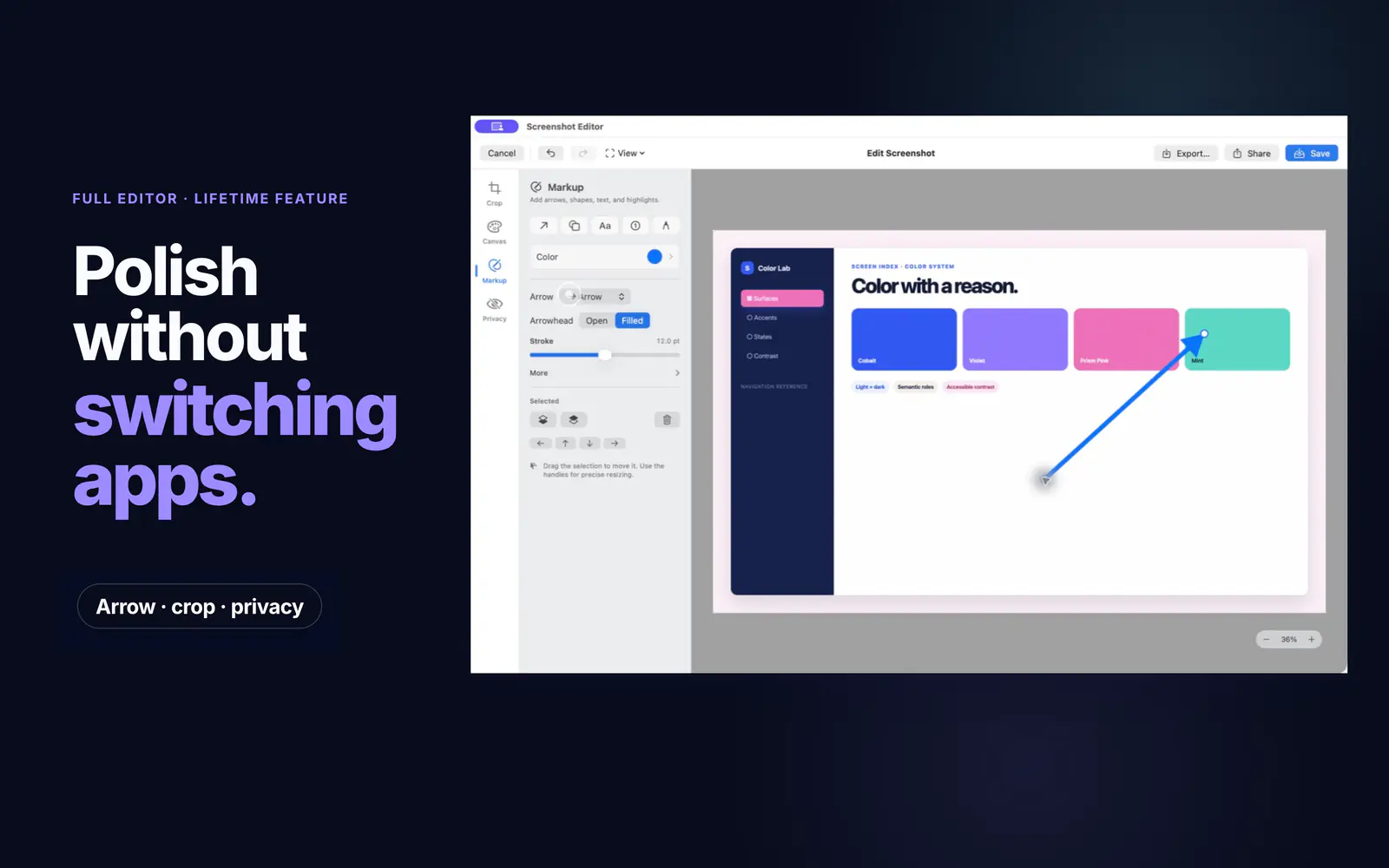
Most screenshot edits are small. You need to trim the edge, point to one button, cover an email address, or add a clean frame before you share the image. Screen Index keeps those jobs in the same app where you find the screenshot.
Crop and frame screenshots
Cut out what does not matter. Add a frame or canvas when the image needs room around it.
Mark up the key detail
Use arrows and other marks to show the exact part someone should see.
Hide private information
Cover account details, names, messages, or any other part that should not be shared.
How to edit a screenshot in Screen Index
The editor starts from the screenshot library, so you can search first and edit the right file when you find it.
Find the screenshot
Search by text, app, website, color, tag, QR code, or a detail in the image.
Make the edit
Crop, frame, mark up, or hide private parts with the built-in editor.
Export a new copy
Save or copy the finished image. The original screenshot remains unchanged.
Find, edit, and copy without losing your place
Global Recall can open screenshot search from any screen on your Mac. Once you find the image, you can start an edit, copy it, or drag it into another app. The screenshot library stays close to the work instead of becoming another folder to dig through.
FAQ
Questions about Screenshot editor for Mac
Can I edit screenshots already saved on my Mac?
Yes. Screen Index is built for the screenshots already in your library. Search for the file, open the editor, and export a new copy when you finish.
Does editing change the original screenshot?
No. Screen Index exports a new copy and leaves the original screenshot unchanged.
Can I hide private details in a screenshot?
Yes. Use the privacy tools to cover sensitive text or other details before you share the image.
Can I copy an edited screenshot into another app?
Yes. Copy the image or drag it from Screen Index into another Mac app.