

Updated August 10, 2026
A screenshot organizer that uses your files
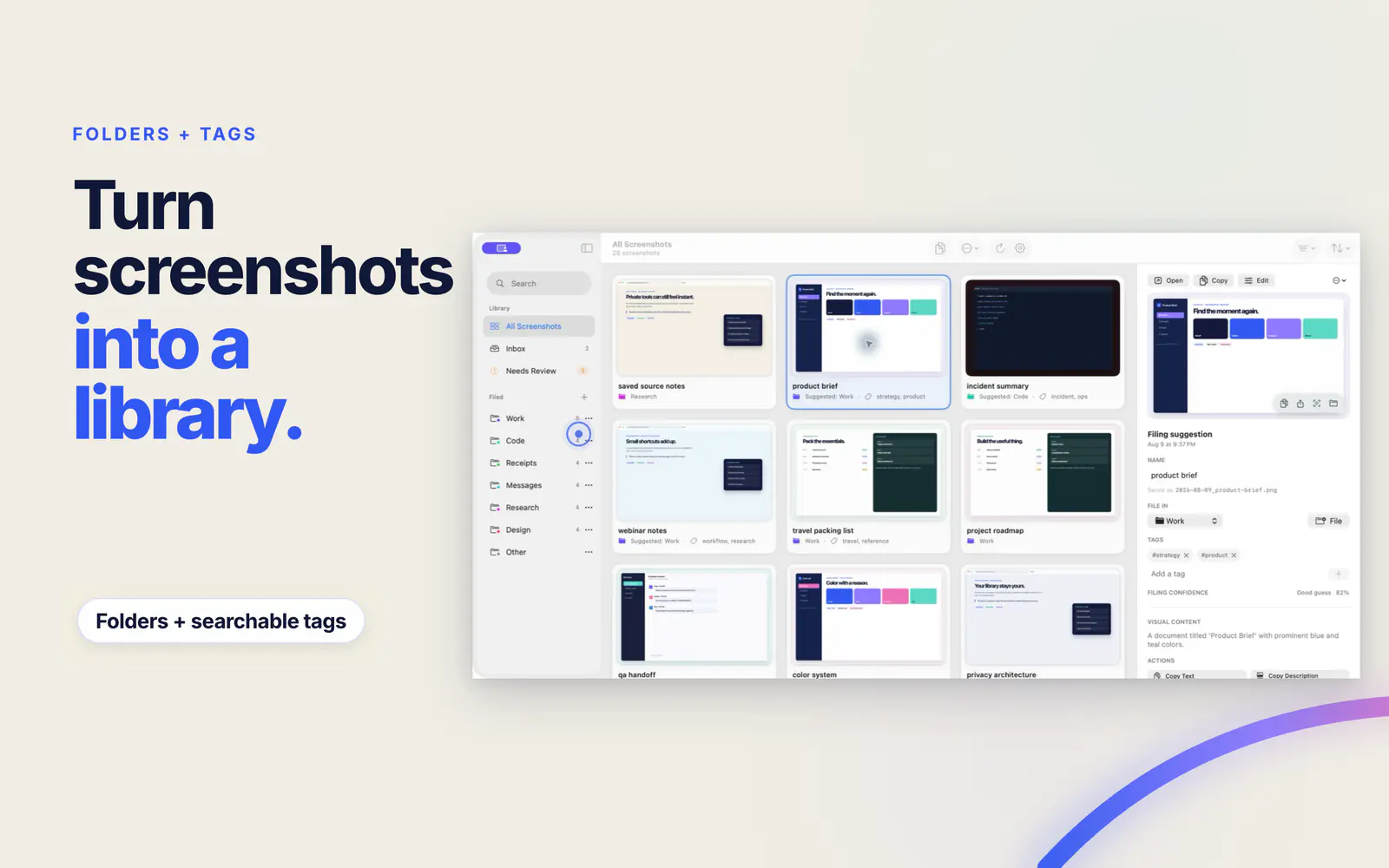
Screen Index does not hide screenshots in a closed library. File them into real Finder folders and add tags that make sense to you. Your folder structure still works when Screen Index is closed.
File into real folders
Keep receipts, design notes, research, and work files in folders you can open in Finder.
Add searchable tags
Tag a screenshot by project, person, topic, or any label you will remember later.
Clean up in batches
Select many screenshots to move, tag, copy, or send to Trash in one action.
Organize each screenshot now or later
Quick File appears after a capture and suggests folders and tags. Use the keyboard to file the screenshot while you still know why you took it. If you are busy, leave it in the inbox and sort it later with batch actions.
Take a screenshot
Keep using the Mac screenshot keys you already know.
Choose a folder or tag
Use a suggestion or pick the place that fits the screenshot.
Find it by search later
Search the tag, folder, visible text, app, site, color, or image detail.
Use your screenshot archive instead of sorting forever
A perfect folder system still fails when you forget where you put a file. Screen Index combines folders and tags with search inside the image. You can keep a simple structure and find the screenshot by what it shows.
FAQ
Questions about Screenshot organizer for Mac
What is the best way to organize screenshots on a Mac?
Use a few clear Finder folders, add tags for details that cross folders, and rely on content search when you do not remember the file name or location.
Does Screen Index use real Finder folders?
Yes. Your screenshots stay in normal folders you can open and manage in Finder.
Can I organize many screenshots at once?
Yes. Select many screenshots to move them, add or remove tags, copy them, or send them to Trash.
Can I organize a screenshot right after I take it?
Yes. Quick File can suggest a folder and tags after capture. You can also copy the image, start an edit, or leave it in the inbox.